What is this website?
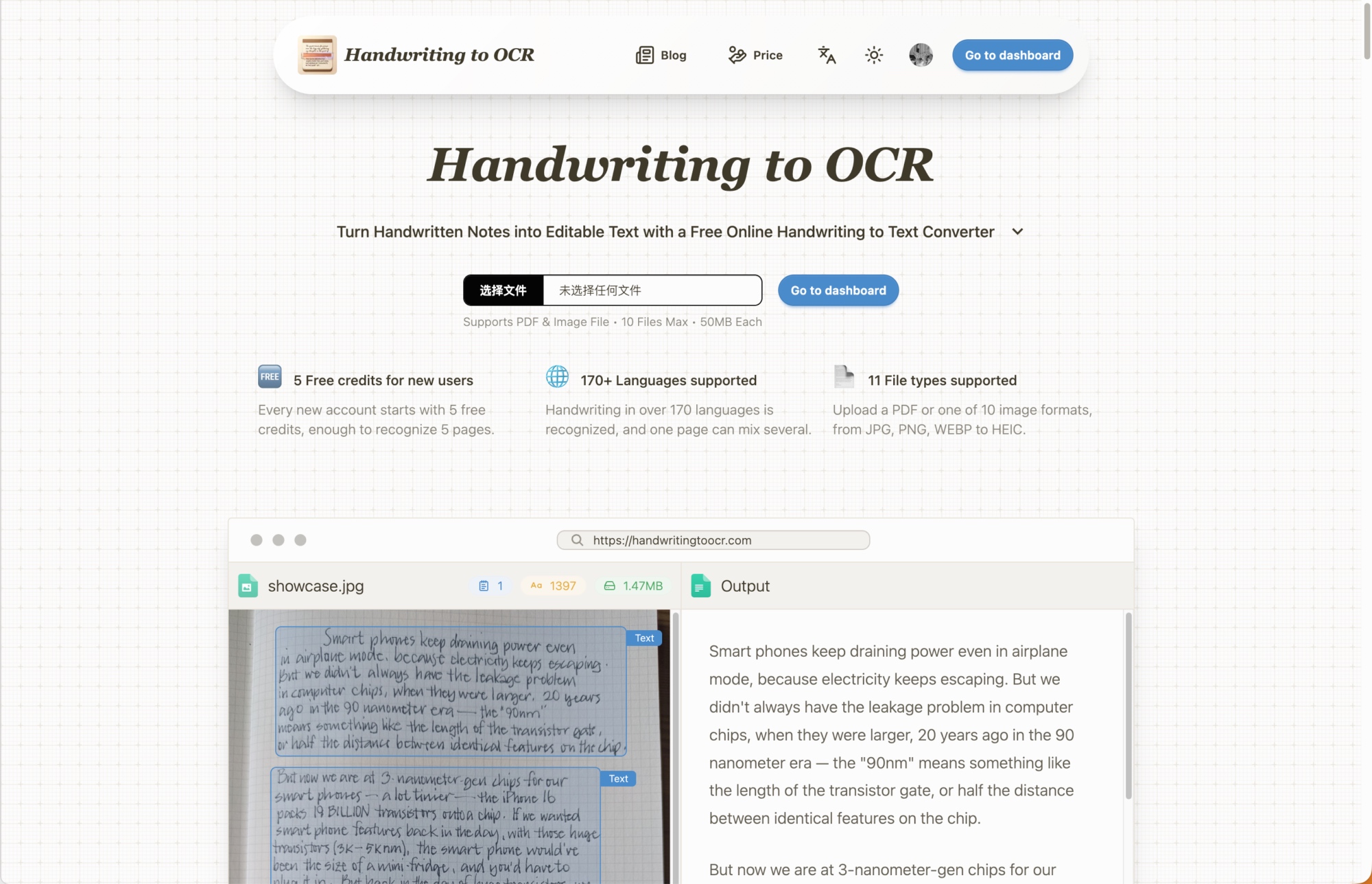
Handwriting to OCR is a browser handwriting-recognition service that turns note photos, scans, and PDFs into editable text.
It targets cursive, shorthand, notes written over print, tables, and handwritten math that print-oriented OCR often drops. After processing, you compare the result with the original page and export Markdown, DOCX, or PDF. New accounts receive 5 free page credits, then pay-as-you-go credits with no subscription. More than 170 languages can appear on one page. It is not a scanner, and it does not replace human review for legal or financial finals.
Key features
- Reads joined-up cursive, hurried notes, shorthand, and handwriting written over printed text.
- Exports tables row by row and column by column instead of flattening them into loose lines.
- Renders handwritten fractions, exponents, and roots as formatted math rather than scattered characters.
- Recognizes mixed languages on a single page; the site states coverage of more than 170 languages.
- Lets you review beside the original, then export Markdown, DOCX, or a print-layout PDF.
- Accepts PDFs and common images including HEIC, up to 50 MB each and 10 files per upload.
Typical use cases
- A student photographs lecture notes or a whiteboard and exports Markdown or Word to outline later.
- A reporter converts shorthand and interview drafts into searchable text instead of retyping.
- A lawyer digitizes handwritten contract comments or older files to extract clauses and compare revisions.
- A family scans letters, recipes, or diaries into an archive that keeps illustrations from the page.
Who is it for?
- People whose pages are handwriting-heavy, mixed layout, or formula-heavy rather than clean print.
- Individuals and small teams who want a browser workflow and files they can open in notes apps or Word.
- Anyone evaluating the flow can use the 5 free pages on a new account.
- A poor fit if you only convert simple printed PDFs; a print OCR tool may be more direct.
- Also a poor fit if you would treat the output as a court or accounting final without a human check.
How does it compare?
Compared with print OCR, it spends capacity on handwriting, overlay notes, tables, and equations, and shows recognized blocks beside the source on desktop. Compared with a phone’s quick capture, it bills per page, allows batch uploads, and can export a print layout. Decide based on whether the source is mainly handwriting and whether you need an editable file or a short on-screen snippet.
FAQ
Q: Can I use it for free?
A: Yes. New users receive 5 credits, enough for about 5 pages, with no card required. Extra credits are sold per page; there is no monthly plan.
Q: Which files are supported?
A: PDF plus JPG, JPEG, PNG, AVIF, TIFF, GIF, HEIC, HEIF, BMP, and WEBP. Each file can be up to 50 MB, and you can send up to 10 files at once.
Q: Do equations and tables keep their structure?
A: The site says tables are read cell by cell and handwritten equations are rendered as math. To keep page placement in an export, switch to Print layout before saving PDF.