

What is this website?
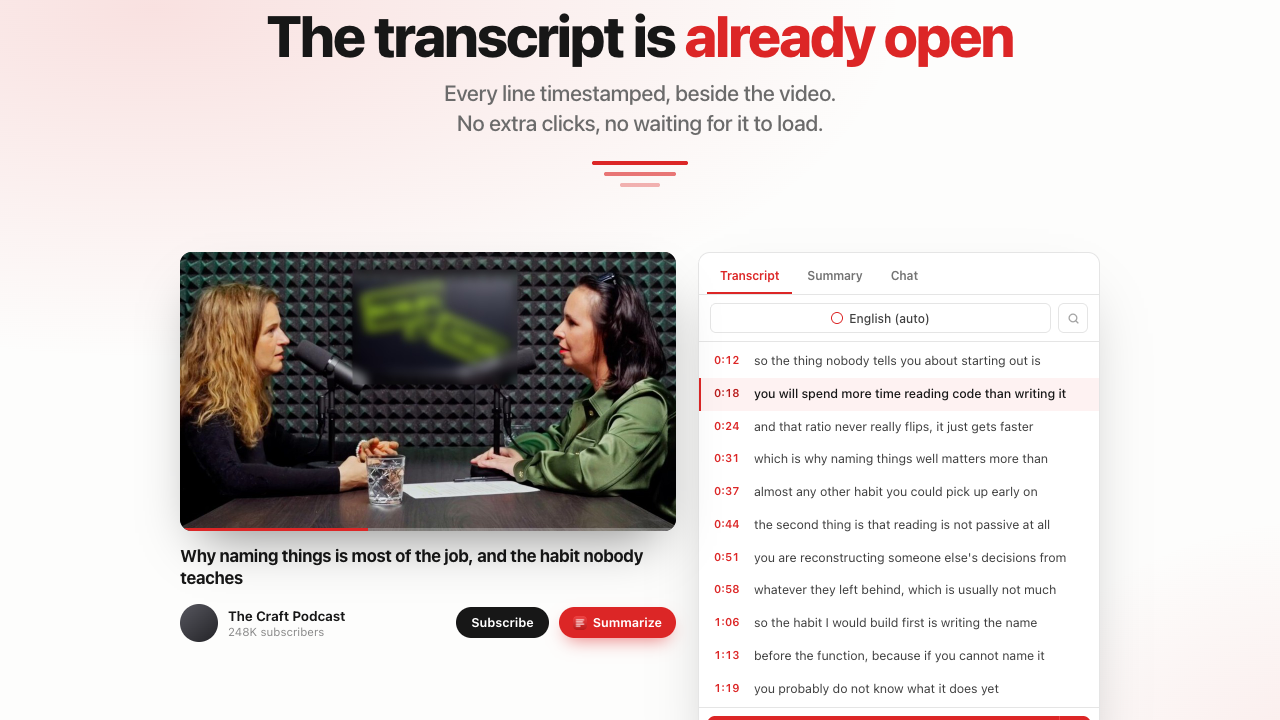
GetYouTubeTranscript extracts the captions already attached to YouTube videos, Shorts, and live replays into timestamped text you can usually read, copy, or download within seconds. It also offers AI helpers such as summaries and study notes, plus a REST API, SDKs, and MCP so agents can pull transcripts into workflows. It depends on an existing caption track—if a video has none, there is nothing to return.
Core features
- Paste a link or video ID to load manual or auto captions with timestamps
- Search and one-click copy, plus exports such as TXT, SRT, VTT, JSON, Markdown, and CSV
- AI tools for summaries, notes, flashcards, quizzes, and translation
- REST API, Python/Node SDKs, and a hosted MCP server for bulk and agent use
- Chrome, Edge, and Firefox extensions for reading transcripts on YouTube pages
Common use cases
- Students turn long lectures into text and jump to a specific minute
- Writers quote exact lines with timestamps instead of scrubbing the player
- Marketers or researchers paste transcripts into ChatGPT or Claude for summaries and translation
- Developers pull captions in bulk through the API or MCP into search or agents
Who is it for?
- Students, researchers, and writers who need searchable text from public videos
- Marketing and education teams that export captions and summaries
- Developers wiring YouTube captions into apps or agents
- Poor fit: videos with no caption track at all, or workflows that require offline local ASR on the raw audio
How does it compare to similar tools?
Compare whether an extension is required, timestamp jump and multi-format download support, API/MCP availability, credit pricing, and whether the tool reads platform captions versus local speech recognition. If you mainly upload local media for ASR, this is usually not the primary path. If you need YouTube’s existing captions quickly into AI tools, the web app plus extension/API coverage is broad.
FAQ
Q: Can I use it without signing up?
A: Yes—paste a link on the website to generate and read a transcript. An account raises limits and unlocks multi-format downloads, AI features, and shared credits across API/extension surfaces.
Q: What if the video has no captions?
A: The tool reads the video’s own caption track. Without manual or auto captions, it cannot return a transcript.
Q: How does the browser extension relate?
A: The website works alone; the extension helps on YouTube pages. One account’s credits can be shared across website, extension, API, and MCP as described officially.


