


What is this website?
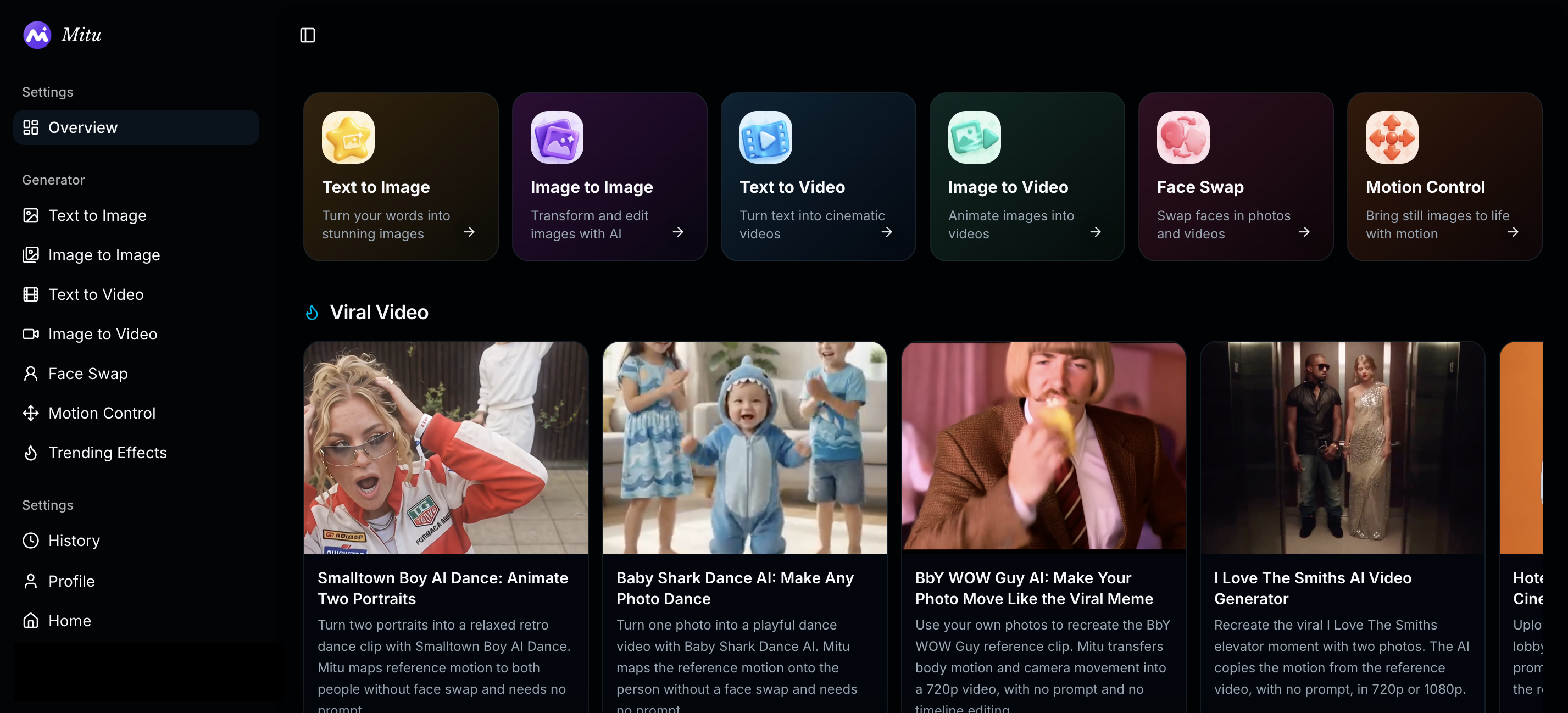
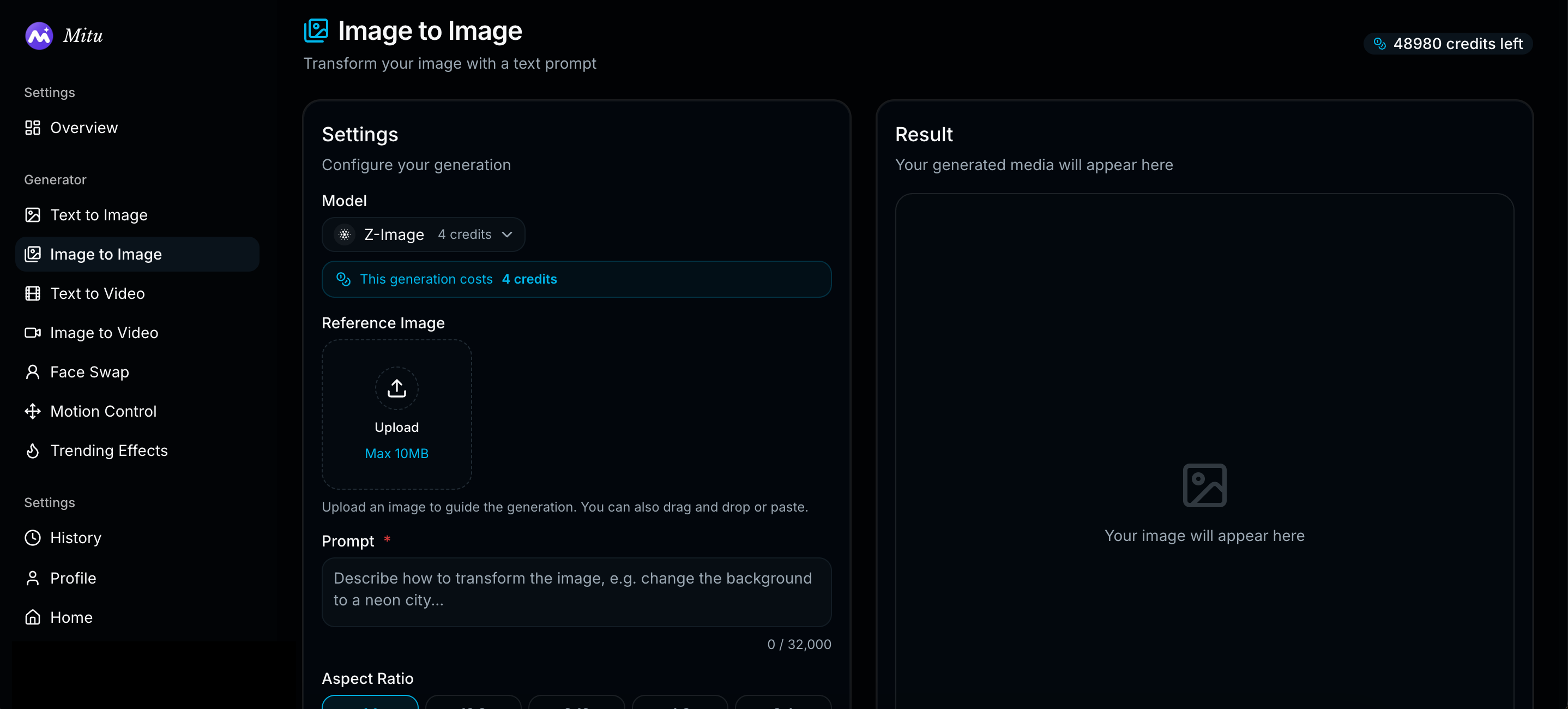
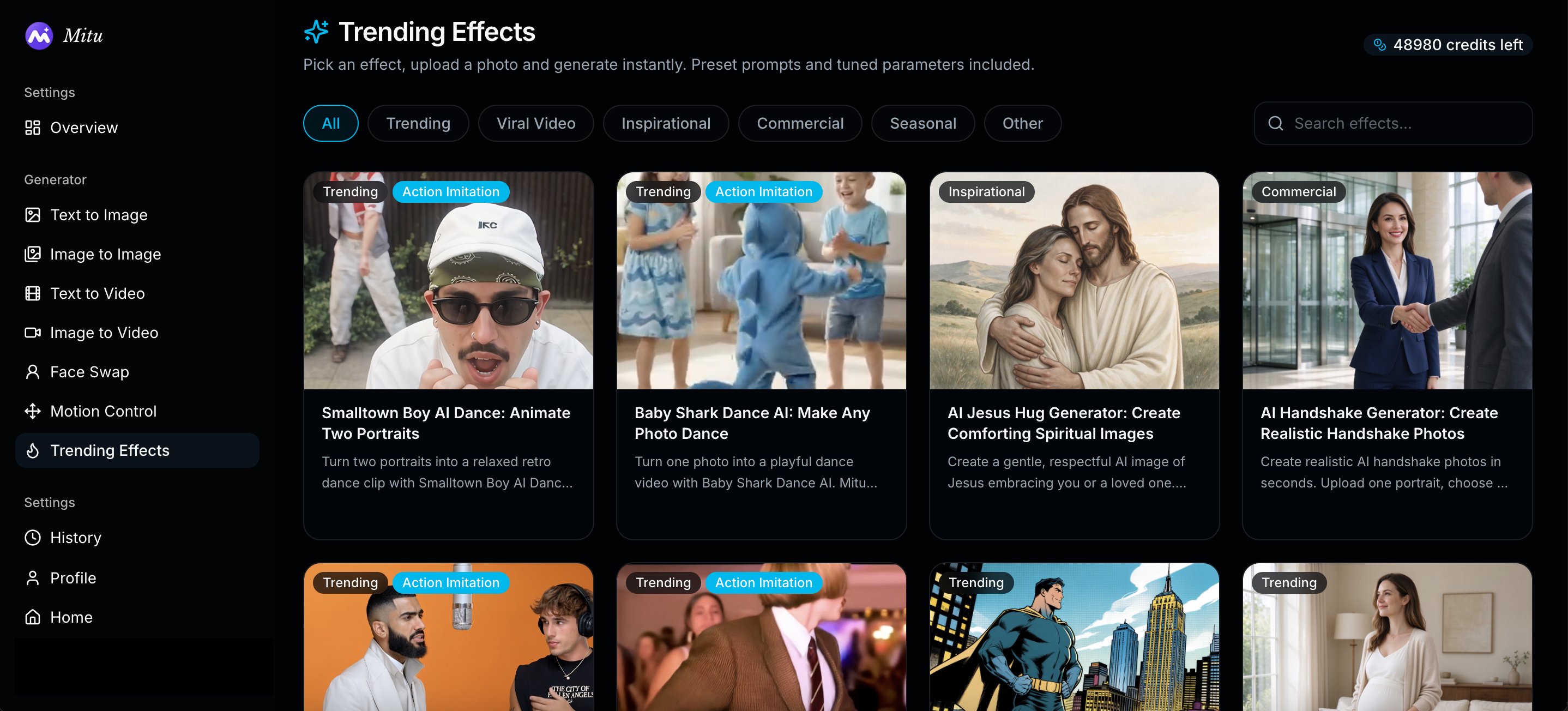
Mitu AI (mituai.art) is a web all-in-one AI image and video studio. Multiple image and video models share one interface and one credit system, with text-to-image / image-to-image, text-to-video / image-to-video, plus task tools such as face swap, ID photos, old-photo restoration, object removal, clothes change, and portrait retouch. A large set of one-click effect templates helps creators and marketers stay in one workspace from stills to short video instead of juggling many provider accounts.
Core features
- Many image and video models in one place so the same prompt can be compared for style, speed, and credit cost
- Base modes: text-to-image, image-to-image, text-to-video, and image-to-video
- Task tools: photo/video face swap, ID and headshot flows, restoration, 4K enhance, object removal, clothes change, portrait retouch, and more
- One-click effects and trend templates (including dance-style reference motion); many start from a single photo
- Free daily credits plus monthly plans and one-time credit packs; paid tiers commonly include watermark-free export
- Localized Chinese UI and help content, with projects and history under one account
Common use cases
- A social creator needs cover stills and short clips the same day without logging into several model sites
- An ecommerce seller builds lifestyle shots, local edits, or short product clips from catalog photos, then decides whether to buy more credits
- Designers or filmmakers A/B styles and boards across models before exporting for offline polish
- Everyday users make ID photos, restore family pictures, or run one-click holiday greeting templates
Who is it for?
- Creators and small marketing teams that want multi-model image and video in one place
- Individuals who prefer a free daily trial before subscribing or buying credit packs
- Users who like Chinese UI and guided task tools rather than managing many API keys
- Less suitable for: buyers locked to one vendor’s newest exclusive model features, or enterprises that need legal-grade review of metering and commercial terms (read the live pricing and legal pages)
How does it compare to similar tools?
Compare on model coverage for your image and video routes; whether credits are clear and include a daily free allowance; whether task tools and templates reduce prompt work; and whether billing is subscription quotas versus one-time top-ups. If you need a single-model deep workflow, an official or specialized client may fit better. If you prioritize comparing several models in one workspace from edit to short video, an aggregator cuts switching cost.
FAQ
Q: What can I do on the free plan?
A: Public pricing includes a free tier with daily credits, standard models, and image export up to about 1080p. Exact quotas follow the live pricing page.
Q: What paid options exist, and do credits expire?
A: Besides free, there are monthly subscription tiers and one-time credit packs. Public copy states subscription credits and packs typically expire in 30 days; cancel-anytime language also appears on pricing.
Q: Can I use outputs commercially?
A: The FAQ addresses commercial use; paid tiers often highlight watermark-free export and commercial-related rights. Always follow the current terms and your plan entitlements—do not assume every free export is commercial-ready.


